Wednesday, October 13, 2010

Sony Announces the World’s First ‘Internet TV’

Sonly has allied with Google, this time to bring the “World’s First Internet TV.” According to Sony they plan to redefine the current TV viewing style, with an all new remote – more of a mini keyboard – this internet TV will be more of a multimedia lifestyle hub than just a TV.

Sony is set to launch four TV set’s all equipped with Google Services and Internet connectivity. From 26 to 46 inches, the prices on the TV’s will range from $599 to $1399. They all feature a unique search option that has never been done before on a television. You can search comprehensively across your DVR, TV, and the Web. However, the DVR is not built into the device and the actual search on stage pulled results from the Dish Network DVR.

The TV’s will feature apps such as Twitter, Napster, Netflix and a Google Chrome full browser. Android developers can build app or enhance their own websites for use on the new set of TV’s.

The TV’s are available for pre-order now, on sale at Sony Style starting this weekend, and Best Buy October 24th.

Press Release:

SONY REDEFINES HOME ENTERTAINMENT WITH THE WORLD’S FIRST HDTV POWERED BY GOOGLE TV
Watch HDTV, Enjoy Apps and Browse the Internet Seamlessly on One Device

NEW YORK, October 12, 2010

– Furthering the company’s leadership in the connected TV space, Sony today introduced Sony Internet TV, powered by Google TV — the world’s first television with the ability to watch HDTV, enjoy apps, and browse the Internet seamlessly on one device.

The combination of Sony’s hardware and engineering expertise and Google’s understanding of open software provides a unique user experience, merging multiple content sources in one easy-to-use interface. From broadcast to streaming video from the Internet, Sony Internet TV offers the ability to quickly search and watch content from wherever, whenever.

“Sony Internet TV is the world’s first HDTV that combines the big-screen impact of television and full Internet search to deliver an unrivaled entertainment experience,” said Mike Abary, senior vice president of Sony’s Home Division. “Finally, you can seamlessly search your favorite TV programs and web sites on the same screen, at the same time.”

“We are very proud to be the pioneers of this new entertainment category by delivering the world’s first true Internet TV experience,” added Bob Ishida, senior vice president, corporate executive, and president of Home Entertainment Business Group, Sony Corporation. “Sony Internet TV creates value by introducing new and compelling ways to enjoy a variety of content.”

Featuring both integrated television models and a Blu-ray Disc™ player, Sony Internet TV is powered by Google TV. It is built on the Android platform, runs the Google Chrome browser and includes a powerful Intel® Atom® processor offering the ability to quickly search across Internet and television content for easy access to entertainment and information.

The models also feature Dual View, allowing users to watch television while tweeting about what they’re watching, checking their fantasy football scores, or finding related content on the web.
They also deliver a truly personalized entertainment experience with the ability to bookmark content for easy access and add applications from the Android™ Market (coming in early 2011). The models feature Sony’s premium streaming service “Video On Demand powered by Qriocity™” as well as pre-installed apps including CNBC, Napster, NBA, Netflix, Pandora,® Twitter, and YouTube.™

The intuitive hand-held RF QWERTY keypad remote incorporating an optical mouse makes it easy to navigate content, type in search terms, and control the TV’s user interface. Additionally, select mobile devices such as an Android phone, can control the TV with an app that will be available for download from the mobile Android Market later this fall.

Built-in Wi-Fi makes it easy to connect to home broadband networks to access web content. Additionally, Sony Internet TV is ready for the future and is fully upgradable through system updates.
Sony Internet TV easily connects to select HD DVR devices from Dish Network to include previously recorded content in the search results and control DVR functionality from the set’s user interface.
Sony Internet TV Line

Featuring four LCD HDTVs with Google TV built-in, the Sony Internet TV line includes the 24-inch class NSX-24GT1 ($599.99), the 32-inch class NSX-32GT1 ($799.99), the 40-inch NSX-40GT1 ($999.99), and the 46-inch NSX-46GT1 ($1,399.99).

Sony Internet TV Blu-ray Disc Player
The Sony Internet TV Blu-ray Disc™ player with Google TV built-in, NSZ-GT1 ($399.99), also allows users to enjoy all of the powerful features of Google TV on their existing HDTV.

Sony Internet TV and the Sony Internet TV Blu-ray Disc Player are currently on pre-sale at www.SonyStyle.com and www.BestBuy.com. They will be available for purchase at Sony Style on October 16 and at Best Buy shortly after.
For more information, please visit www.sony.com/SonyInternetTV or log in to our social media community at www.Sony.com/blog.

Product specifications include:

Sony Internet TV NSX-46GT1
Available in October for $1,399.99
• 46-inch Full HD 1080p display with Edge LED backlight
• Google TV built-in
• Seamlessly search across your television & Internet for content
• Surf the web while watching TV using Dual View
• Upgradeable Google TV platform
• Download apps from Android Market (*coming in early 2011)
• Superior processing power with Intel Inside
• Easy-to-use RF QWERTY keypad remote with integrated optical mouse
• Link to select mobile phones (coming this fall)
• Built-in Wi-Fi
• Four HDMI inputs and four USB inputs

Sony Internet TV NSX-40GT1
Available in October for about $999.99
• 40-inch Full HD 1080p display with Edge LED backlight
• Google TV built-in
• Seamlessly search across your television & Internet for content
• Surf the web while watching TV using Dual View
• Upgradeable Google TV platform
• Download apps from Android Market (*coming in early 2011)
• Superior processing power with Intel Inside
• Easy-to-use RF QWERTY keypad remote with integrated optical mouse
• Link to select mobile phones (coming this fall)
• Built-in Wi-Fi
• Four HDMI inputs and four USB inputs

Sony Internet TV NSX-32GT1
Available in October for about $799.99
• 32-inch Full HD 1080p display with Edge LED backlight
• Google TV built-in
• Seamlessly search across your television & Internet for content
• Surf the web while watching TV using Dual View
• Upgradeable Google TV platform
• Download apps from Android Market (*coming in early 2011)
• Superior processing power with Intel Inside
• Easy-to-use RF QWERTY keypad remote with integrated optical mouse
• Link to select mobile phones (coming this fall)
• Built-in Wi-Fi
• Four HDMI inputs and four USB inputs

Sony Internet TV NSX-24GT1
Available in October for about $599.99
• 24-inch Full HD 1080p display with CCFL backlight
• Google TV built-in
• Seamlessly search across your television & Internet for content
• Surf the web while watching TV using Dual View
• Upgradeable Google TV platform
• Download apps from Android Market (*coming in early 2011)
• Superior processing power with Intel Inside
• Easy-to-use RF QWERTY keypad remote with integrated optical mouse
• Link to select mobile phones (coming this fall)
• Built-in Wi-Fi
• Four HDMI inputs and four USB inputs

Sony Internet TV Blu-ray Disc Player NSZ-GT1
Available in October for about $399.99
• Google TV built-in
• Seamlessly search across your television & Internet for content
• Surf the web while watching TV using Dual View
• Upgradeable Google TV platform
• Blu-ray Disc playback capability
• Download apps from Android Market (*coming in early 2011)
• Superior processing power with Intel Inside
• Easy-to-use RF QWERTY keypad remote with integrated optical mouse
• Link to select mobile phones (coming this fall)
• Built-in Wi-Fi
• One HDMI input, one HDMI output and four USB inputs

Sony Internet TV product images can be found at www.sony.com/news.

Friday, September 24, 2010

Friday, September 10, 2010

How to set up Firefox Home on your iPhone

Firefox Home gives you instant access to your Firefox desktop history, open tabs and bookmarks on your iPhone or iPod Touch. Since it works with Firefox Sync on your desktop you have to install and set that up first. Once that's done, you'll just need to get Firefox Home from the iTunes store and connect it to your Firefox Sync account.

How to set up Firefox Home on your iPhone

Wednesday, September 08, 2010

Child-driven education

Education scientist Sugata Mitra tackles one of the greatest problems of education -- the best teachers and schools don't exist where they're needed most. In a series of real-life experiments from New Delhi to South Africa to Italy, he gave kids self-supervised access to the web and saw results that could revolutionize how we think about teaching.

Saturday, September 04, 2010

Sony has shown off a new 3D vaio notebook

Sony has shown off a new 3D vaio notebook at the IFA in Berlin, the notebook is currently a prototype, but Sony plans to start selling 3D Vaio notebooks from 2011.

The Sony 3D Vaio notebooks is capable of displaying full HD video in 1080p, in 3D, and they will come with a pair of active shutter glasses to let you view 3D content.

Sony Shows Off 3D Vaio Notebook

“3D Vaios will debut next spring,” Howard Stringer, Sony’s chief executive, said in a press conference touting 3D technology and Sony’s commitment to it. Sony also touted other 3D products and content at the show.

There are no details an yet on the exact specifications of these new 3D Sony Vaio notebooks, as soon as we get some more information, we will let you guys know.

via Cnet

Toshiba Debuts Tiny and Dim Pocket Projector

Toshiba Debuts Tiny and Dim Pocket Projector

Posted: 03 Sep 2010 08:39 AM PDT

I like the promise that Pico Projectors make. Being able to take a small projector with you easily and have that projector run on batteries to give presentations or watch content on a larger screen is a very nice thing. The reality is that the technology of today isn’t there to make a pocket projector work for most people.

Toshiba has unveiled a new pocket projector called the Lumileo P100. The little projector has the same basic flaw all of its kind do – poor brightness. The P100 has a mere 14 lumens and tells you a dark room in required to get the 65-inch image it can throw. It has a contrast ratio of 200:1.

image

Inputs include RCA and VGA and the projector runs from a rechargeable battery. The P100 measures 116 x 50 x 18mm and weighs 96g with the battery installed. The sound system is a pair of 0.5W stereo speakers. Pricing and availability are unknown.

Wednesday, August 04, 2010

Official Google Blog: Introducing Google Apps for Government

Official Google Blog: Introducing Google Apps for Government

Introducing Google Apps for Government

7/26/2010 11:00:00 AM
Today we’re excited to announce a new edition of Google Apps. Designed with guidance from customers like the federal government, the City of Los Angeles and the City of Orlando, Google Apps for Government includes the same great Google applications that people know and love, with specific measures to address the policy and security needs of the public sector.

http://googleblog.blogspot.com/2010/07/introducing-google-apps-for-government.html

Saturday, July 24, 2010

India crea versión de iPad por 35 dólares

India crea versión de iPad por 35 dólares

Reveló su prototipo de tableta con pantalla táctil

Kapil Sibal, ministro indio de Desarrollo de Recursos Humanos, presenta el prototipo. (AFP)

Por ERIKA KINETZ / AP

MUMBAI, India (AP) — Luce como un iPad pero cuesta catorce veces menos: India ha presentado el prototipo de una tableta de pantalla táctil a un costo de $35 para los estudiantes, que espera empezar a producir para el 2011.

Si el gobierno consigue un fabricante, la computadora con sistema operativo Linux será una de las numerosas innovaciones "más baratas del mundo" producidas en India, que ya ofrece el automóvil compacto Nano a $2,125 dólares), un purificador de agua a $16 y la cirugía a corazón abierto a 2.000 dólares.

La tableta puede utilizarse como procesador de texto, para navegar la red y para videoconferencias. También trae una opción a energía solar —importante en el interior de la India, aunque a un costo extra.

"Esta es nuestra respuesta a la computadora de MIT de $100", dijo el ministro de desarrollo de Recursos Humanos, Kapil Sibal, al Economic Times al presentar el artefacto el jueves.

En 2005, Nicholas Negroponte, cofundador del Laboratorio de Medios del Instituto Tecnológico de Massachusetts, reveló un prototipo de computadora portátil de 100 dólares para niños en el mundo en desarrollo. India lo rechazó por considerarla demasiado cara y se embarcó en un esfuerzo de años para desarrollar una opción más barata.

La computadora de Negroponte terminó costando unos $200, pero en mayo su asociación sin fines de lucro llamada Una Portátil por Niño dijo que planeaba lanzar una tableta básica por $99.

Sibal apeló a estudiantes y profesores de las universidades técnicas indias de elite para desarrollar la tableta de $35 después de recibir una respuesta "tibia" del sector privado. Espera poder rebajar el costo a $10.

Mamta Varma, una portavoz del ministerio, dijo que los menores precios de los componentes mecánicos y del diseño inteligente lograron reducir el precio. La tableta no tiene disco duro pero usa una tarjeta de memoria, tal como un teléfono móvil. El diseño del aparato reduce costos de material.

Varma dijo que varios fabricantes mundiales, incluso por lo menos uno de Taiwán, han demostrado interés en fabricar el aparato de bajo costo, aunque no se han concretado acuerdos de fabricación ni distribución. No mencionó esas compañías.

India se propone subsidiar el costo de la tableta para sus estudiantes reduciendo el precio de compra a unos $20.

Wednesday, July 21, 2010

Medalla de oro en Olimpiadas Matemáticas

Luego de dos días de pruebas, de horas de sumas, restas, multiplicaciones y divisiones, la delegación de Puerto Rico  obtiene la medalla de ORO en la 51ava Olimpiada Mundial de Matemáticas celebrada en la ciudad de Astaná, Kazakstán.
La delegación de Puerto Rico estuvo compuesta por George C. Arzeno Soltero, estudiante de la Academia Perpetuo Socorro y Jiacheng “Jack” Feng Chen de Cupeyville School. El jefe de la delegación fue el Dr. Luis F. Cáceres Duque, director del programa de Olimpiadas Matemáticas de Puerto Rico y catedrático del Departamento de Ciencias Matemáticas del Recinto Universitario de Mayagüez.
Lee el resto del artículo en Diálogo Digital mediante este enlace: http://dialogodigital.com/es/entre-estudiantes/2010/07/medalla-oro-puerto-rico-olimpiadas-matematicas

Thursday, July 08, 2010

Ediciones digitales del Dr. José Mari Mutt

http://web.me.com/jamarimutt/edicionesdigitales/Bienvenido.html

La Internet nos permite publicar con gran libertad y conveniencia. En este medio podemos dar a conocer nuestro trabajo sin la necesidad de lidiar con editoriales que a menudo utilizan el potencial económico de una obra como principal o único criterio para publicarla. Cuando publicas en la Internet los lectores no tienen que esperar meses o años para leer tus trabajos y tú no tienes que preocuparte por los altos costos asociados con la publicación y distribución de la obra. Tampoco hay que esperar años para actualizar el texto mediante una nueva edición que quizás nunca llegue, aquí puedes actualizar el trabajo en cualquier momento.

Esta página sirve de portal personal y de archivo para mis publicaciones. Es un proyecto personal de acceso abierto, sin fines de lucro y sin más motivación que compartir el conocimiento.

JAMM

jose.mari@upr.edu

Publicaciones de acceso abierto

Si hay un libro que realmente quieres leer, pero que no ha sido escrito, entonces tienes que escribirlo.

~Toni Morrison

En cuestiones de cultura y de saber, sólo se pierde lo que se guarda; sólo se gana lo que se da.

~Antonio Machado

Publicaciones

  1. •Los pueblos de Puerto Rico y las iglesias de sus plazas

  2. •Nuestras casillas de camineros

  3. •Faros de Puerto Rico

  4. •Una foto y una historia

  5. •Árboles y palmas del Recinto Universitario de Mayagüez

  6. •Maderas de Puerto Rico

  7. •Cómo preparar y presentar un seminario

  8. •Manual de redacción científica

Carter Emmart demos a 3D atlas of the universe

Benoit Mandelbrot: Fractals and the art of roughness

Sunday, July 04, 2010

How To Sync Files & Folders Between Computers With Windows Sync

How To Sync Files & Folders Between Computers With Windows Sync

One of the greatest problems that comes with owning more than one computer is figuring out how to sync files and folders between computers. You can of course do manual transitions with a USB drive. This is a real pain however and simply forgetting once can be frustrating.

Imagine heading down to your local coffee shop to edit some photos only to find, when you arrive, that you forgot them on your USB drive! Such a scenario has happened to me a few times, and it is more than a little annoying.


There is however a solution – Windows Sync. This program makes it possible to sync files and folders between computers through an Internet connection. Microsoft Sync literally syncs all files in a folder, no matter what kind of files they are. And get this – Microsoft Sync works for both the PC and Mac.

Installation & Settings

To begin you’ll need to download the Microsoft Sync tool on the two (or more) computers you wish to sync up. Microsoft Sync is part of Microsoft’s Windows Live platform, so you will need to have a Live login in order to use the program. If you don’t have a login yet, you will have to register.

Use Microsoft Office for Free with Microsoft Web Apps

Use Microsoft Office for Free with Microsoft Web Apps

Google Documents has its problems. Its features are not comprehensive enough for truly serious office work, and it can be a bit slow and finicky when compared to a traditional office program. Still, Google Documents has started a revolution. The ability to access a document from any computer and share it with co-workers is immensely useful.

Microsoft knows this. It has been flat-footed so far, as the company’s investments in the mighty Microsoft Office Suite can’t be turned on (or with) a dime. They are not blind to the situation and to respond, Microsoft has released Microsoft Web Apps, a set of free applications which emulate the functions of Google Documents.

Monday, June 28, 2010

Sharp Creates The Worlds Smallest Digital TV Tuner | Geeky Gadgets

Sharp Creates The Worlds Smallest Digital TV Tuner | Geeky Gadgets

Sharp Creates The Worlds Smallest Digital TV Tuner

Sharp Creates The Worlds Smallest Digital TV Tuner

Sharp has just released news of their latest creation a 30 x 29.6 x 5 mm digital TV tuner which is currently the worlds smallest.

Being 70% smaller and 50% thinner than other models the VA1N2WF2121 now only contains 80 parts as to a previously required 300 parts.

Worlds Smallest Digital TV Tuner

The new design is thanks to a silicon tuner IC that ” fully integrates the components that make up the tuner circuitry in a monolithic semiconductor device “. Providing an improved picture with its integrated low noise amplifier that helps provide improved reception.

The new Digital TV tuner is compatible with DVB-T, ATSC, ISDB-T/TB, DVB-T/T2, CTTB and can be used in Japan, Europe, North America, China and South America

Thursday, June 24, 2010

Now You Can Colorware Your Segway | Geeky Gadgets

Now You Can Colorware Your Segway | Geeky Gadgets

If you are one of those people that owns a Segway, and wants to give it an individual look, then they guys over at Colorware can help you out as they now offer the option to have your Segway colored in a range of custom colors.

We have seen quite a few different gadgets get the Colorware treatment, but this is probably the largest one, there are lots of different color options to choose from.


The price for this Segway customization? About $6,000, you can find out more details over at Colorware.

via Slippery Brick

Darkside Of The Moon Captured In Full Detail | Geeky Gadgets

Darkside Of The Moon Captured In Full Detail | Geeky Gadgets

Tidal forces between the moon and the Earth have slowed the moon’s rotation so that one side of the moon always faces toward our planet. But new highly detailed images of the dark side of the moon have been captured by the Lunar Reconnaissance Orbiter LRO, providing never before seen details of the moons dark side terrain.

darkside of the moon

The colours in the image above represent the elevation of the terrain, going from 20,000 feet (red) to -20,000 feet (blue). The image is one of ten discoveries that have been documented in the first year of the LRO and includes details on the landing sites. The Lunar Reconnaissance Orbiter officially reached lunar orbit on June 23rd, 2009.

Via Gizmodo Via NASA

Monday, May 31, 2010

Murray Gell-Mann on beauty and truth in physics | Video on TED.com

Murray Gell-Mann on beauty and truth in physics | Video on TED.com

Opciones para realizar Videoconferencias privadas en la web

Opciones para realizar Videoconferencias privadas en la web

Opciones para realizar Videoconferencias privadas en la web

Por Juan Diego Polo el 31/05/2010

Aunque hay muchas aplicaciones que nos permiten comunicarnos usando videoconferencia con otras personas, voy a mostraros una lista de las opciones que, sin necesidad de instalar nada, son tan sencillas de usar como prácticas.

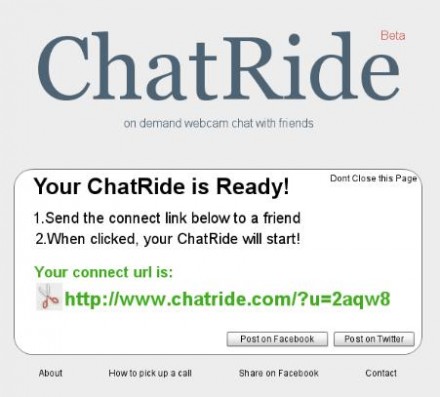
chatride.com


Sin necesidad de registro sólo tenemos que crear una sala y divulgar su enlace a la persona con la que queremos comunicarnos. El aspecto recuerda mucho al del famoso chatroulette, siendo tan sencillo como el popular mebeam.com, con el mismo objetivo.

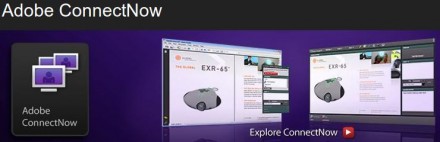
Adobe Connect Now


Con un panel bastante completo y sencillo de usar, Adobe ConnectNow ofrece la posibilidad de compartir una dirección del tipo https://connectnow.acrobat.com/diegopolo, a la que los invitados a la videoconferencia tendrán que acceder para verse las caras usando sus webcams.

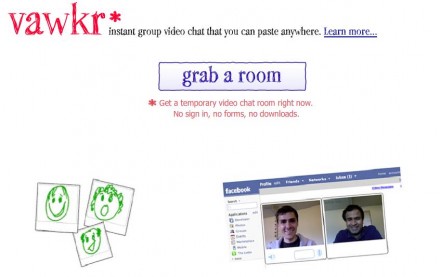
vawkr.com

Integrada con Facebook y con la posibilidad de crear salas también en myspace o en cualquier página web o blog, sin necesidad de instalar nada ni de tener que registrarse en ningún sitio.

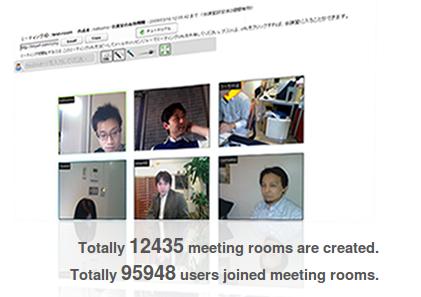
meeting24.tv


meeting24.tv es una aplicación de videoconferencia que permite, en poco tiempo, crear una sesión en la que pueden participar hasta 24 usuarios al mismo tiempo.

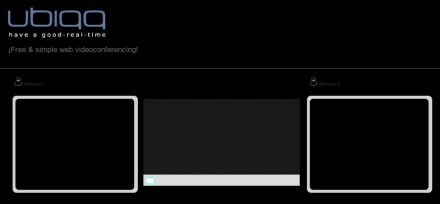
ubiqq.com


Ubiqq genera una dirección url que, después de ser abierta por la persona con la que queréis hablar, creará una sesión de chat con vídeo en la que se podrán ver los dos protagonistas al mismo tiempo.

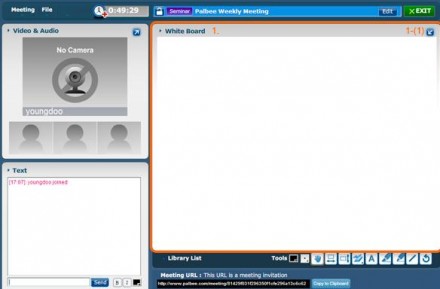
palbee.com

Una de las opciones más completas, ideal para hacer reuniones, ya que pueden compartirse archivos, capturas, presentaciones, etc.

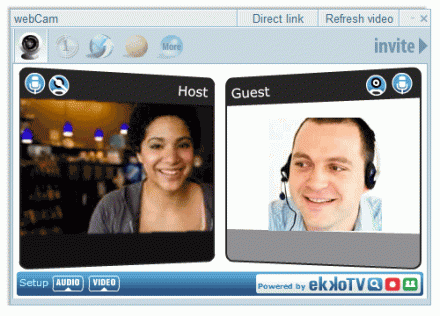
ekko.tv


Una barra que incluye la posibilidad de realizar videoconferencia entre dos personas.

Hay otras opciones, como oovoo o tokbox.com, por ejemplo. Aunque estoy seguro que con tanta opción encontraréis lo que se adapte a vuestras necesidades particulares.

Sunday, April 04, 2010

Your Arm: The Next iPhone?

Your Arm: The Next iPhone?: "Armpod1

With mobile devices perpetually shrinking, touchscreen space is starting to become the next challenge for makers of cell phones and music players.

Luckily, Microsoft's research lab has come up with a solution to the surface area problem: the human body. Researchers from Microsoft and Carnegie Mellon have created an interface that allows people to use their arms and fingers like touch screens. The system, called Skinput, works by recognizing a variety of acoustical (vibration) patterns that happen when you tap your arm. Video after the jump."

Friday, April 02, 2010

Elizabeth Gilbert sobre darle alas a la creatividad

Elizabeth Gilbert (author of Eat, Pray, Love) reflexiona sobre las cosas imposibles que esperamos de artistas y genios -- y comparte la radical idea de que, en vez de que una persona "sea" un genio, todos "tenemos" un genio. Una charla divertida, personal y sorprendentemente conmovedora.

Tuesday, March 30, 2010

LHC is expected to begin collisions at 3.5 TeV momentarily

Nos informa el Dr. Angel López del RUM:

Dear colleagues,
Hopefully this will be a historic day for the LHC.  Collisions at a new energy record (7 TeV in the center of mass) are expected to begin in the next couple of hours.  This is the energy that will be maintained for the next two years.  So today should be the start of research into a new energy regime.
You can keep track of this development online (live) at the following websites.
http://webcast.cern.ch/lhcfirstphysics/
http://cmsdoc.cern.ch/cmscc/cmstv/cmstv.jsp?channel=1&frames=yes
The first one is a news webcast which should be operating for the next several hours.  It should continue broadcasting for a couple of hours after collisions are obtained.  If this takes several hours I imagine they will continue broadcasting all day.
The other is a permanent resource provided by the CMS experiment (the experiment where our UPR group participates).  There you can see what is happening with the LHC machine at any moment  (energy, current in the beams, etc.)  There are also other links at the top which show you other information ( pictures of data and simullated events, etc.)
Fortunately this day corresponded with our vacation so I am at CERN to witness this personally.  I am scheduled to take shifts this week so hopefully will participate directly in taking data at this new energy.
Angel 

Friday, March 12, 2010

100+ Motivational Techniques to Take Learning to the Next Level | Smart Teaching

100+ Motivational Techniques to Take Learning to the Next Level | Smart Teaching

100+ Motivational Techniques to Take Learning to the Next Level

Getting students motivated to learn can be hard no matter what grade level you teach. Sometimes it’s because students find the material boring or useless, or sometimes because they are simply there because they are required to be and not because they have any interest in the subject matter at hand. There are some things you can do, however, to help boost your students’ interest in whatever it is that you’re teaching. Here are 100 or so suggestions of ways that you can make your classes more engaging and encourage your students to work harder at learning.

General

Here are some basic ideas to consider when motivating your students.

  1. Encourage internal motivation. While some students may need a great deal of motivation from you, your ultimate goal is to get them to motivate themselves. Encourage students to provide their own motivation for getting things done rather than relying on you to motivate them.
  2. Prepare students to learn. Before you begin teaching, make sure that students have been prepared and are in the appropriate mood to sit down and learn. Those who feel uncomfortable for any reason will feel much less motivated to pay attention.
  3. Create realistic goals. While it might be nice to imagine a classroom full of straight A students, the reality is that some students just may not be able to meet that high of expectations, at least not at first. Create goals that are attainable for your students so that they won’t feel overwhelmed and feel like they can succeed.
  4. Ensure students are aware of their responsibility. As the teacher, a big part of the responsibility for students’ learning falls on you. But students need to be aware that they will only take away from class what they put into it, and that a certain amount of responsibility falls onto their shoulders as well.
  5. Change the style and content. Students not responding to your lessons? Try changing them up. Sometimes all it takes is a little variety to make things more interesting to students.
  6. Make student reaction and involvement essential parts of the learning process. Don’t just lecture at your students, make their opinions and feelings on the subject important as well. This will keep them engaged and involved and motivate them to put more effort into learning.
  7. Use group cooperative goals to maximize student involvement and sharing. Students may be more motivated to work if you allow them to work together. Working with their friends and classmates can be more fun and can help them get more excited about projects and topics they otherwise wouldn’t enjoy.
  8. Plan assignments and exercises that are neither too easy nor too difficult. One way to kill motivation in students is to give them assignments that are well below or above their abilities. Work should be challenging but no so much so that students feel defeated.
  9. Explain the purpose behind assignments. You may find that students are reluctant to do work that they feel is pointless or that won’t ever have relevance to their lives. Explain to them the reason why they need to do the assignments and learn the topics at hand to give them more incentive to work hard.
  10. Explore the connections between lessons. Capitalize on the interest students have had in past lessons by relating new topics to older ones. This also helps students see how topics fit together and gives them an overall picture of the subject.
  11. Make sure students know what to expect. When students know exactly what is expected of them, it makes it easier for them to meet those goals and they may be more motivated to do so.
  12. Don’t over teach. Just because you know a lot about a certain subject doesn’t mean that you should share all the information with your students. Telling them too much can overwhelm and confuse them. Let students come to you if they are interested in learning more.
  13. Present material logically. Many students will have a hard time following along if you present information in a way that they don’t feel is logical. Do your best to create lessons that follow a logical progression so students don’t get frustrated and zone out.
  14. Summarize. It can be useful to some students to have a summary of what they learned at the end of the lesson. This can help show them how much they’ve accomplished and is a good way to refresh their memories of the topics that were touched upon.
  15. Lead by example. If you seem bored by what you’re teaching, chances are pretty good that your students aren’t going to get too captivated either. Get into your lessons and show them that learning can be fun and beneficial.
  16. Be aware of students’ needs. your classroom will be full of students who have a variety of different needs and who may be on different levels. Take this into account and give some students extra attention, support, or information based on their individual personalities.
  17. Enhance the attractions and minimize the dangers of learning. Many students are afraid to pursue topics they see as too difficult or challenging. Help them to overcome this fear by minimizing the chance of failure and supporting all their little successes.
  18. Downplay setbacks. Students in your classes are bound to experience failures and setbacks now and again. Ensure that these problems do not destroy their self esteem and willingness to learn by emphasizing their accomplishments rather than their failures.
  19. Encourage additional study. If you find that a student has a particular interest in a subject, make sure to play up their motivation and encourage them to find out more and seek additional information.
  20. Keep things positive. No matter what, students should feel like your classroom is a safe, positive place to be where they will be respected and assisted during the learning process.

Spark Interest

The first step to motivating students is to spark their interest in the subject. Here are some ways you can make any topic seem more interesting.

  1. Focus on the importance of the subject. You may get students to take a lesson more seriously if you underscore the importance of the subject, whether in the general scope of things or to their personal career or educational goals.
  2. Use impressive or startling statistics. Facts and figures are one way to make a subject appear more interesting. Numbers can help make concepts more real to students and help them understand the significance.
  3. Ask rhetorical questions. Give students something to think about at the beginning of the lesson by asking rhetorical questions. You may not expect them to answer, but they may be motivated to think about the subject once a question has been posed.
  4. Use quotes. Taking quotes from real historical figures can be a way to help students understand the actual impact or feeling an event or idea had on people. It can be especially effective if the quote comes from a person students will have heard of.
  5. Ask questions to engage the class. Asking students questions about the subject is one way to get them active and engaged in the learning process. It also forces them to think about a topic rather than just accepting it at face value.
  6. Tell a story. Many students respond better to narratives rather than facts that have been linked together. The human interest or story behind the events makes things more interesting and encourages students to pay attention to topics they might otherwise want to disregard.
  7. Make it funny. If you can, or if the lesson material permits it, try to incorporate humor into your lessons. This makes them seem more like fun than work and can engage even the most reluctant of students.
  8. Incorporate student experiences. Let students share in the lessons by telling their own related experiences. This can be a great way to help make ideas and concepts in a lesson more real to students and therefore more relevant and interesting.
  9. Get students involved. While some topics may require or be aided by lecture, many can benefit from student involvement. When students participate in the lesson they may become more interested in what you’re teaching and more motivated to learn.
  10. Ensure it’s relevant. Students will often have much less interest in learning subjects that don’t seem to apply to their everyday lives in any way that they can see. Try to incorporate elements into your lessons that help students to see how the topics fit into their lives.
  11. Respond to student interest. If you find that students are particularly interested in a certain aspect of your lesson, you can devote a little more time to it than you normally would to help ensure that they’re learning while still staying interested.
  12. Use visual aids. Visual aids can be a great way to show students how a concept works, where things fit into the world or what history looked like, all while making them more interested in the topic at hand.

Learning Environment

Creating a great learning environment is key to motivating students. Here are some ways you can make your classroom more learning-friendly.

  1. Make the classroom inviting. Students will feel more willing to explore topics, even those they don’t understand, if they feel comfortable in their surroundings so create a classroom that is as inviting as possible for students.
  2. Create an environment where students want to learn. If students feel intimidated or uncomfortable in the learning environment in your room, they are much less likely to participate, take chances or go out of their way to learn anything. Make every attempt to create a classroom where students feel they can learn.
  3. Organize. Good organization in your classroom is key to keeping things running smoothly and reducing the amount of clutter than can distract students from what they should be paying attention to.
  4. Show interest in students as individuals. Taking the time to get to know each of your students individually can be a great way to earn their trust and to help them feel important. Sometimes that’s all students need to feel motivated to learn.
  5. Supporting students in their efforts to learn. No matter what, supporting your students as they go through the lessons is essential to their, and your, success in the classroom. Ensure that all students feel supported and motivated.
  6. Promote open communication and discussion. Make sure your students feel comfortable asking questions if they don’t understand, raising issues, or even questioning things they don’t think are right. This kind of open discussion can promote their desire to learn and lets them share their own ideas and desires.
  7. Make your classroom learning oriented. Try to create a classroom that is conducive to learning. Sometimes this will mean arranging desks in a certain way, closing the blinds so students can focus or posting relevant information and posters on the wall.
  8. Avoid negativity. The most motivating classrooms are those that are positive and supportive. try to avoid letting negativity come into your classroom, even if you do start to feel frustrated.
  9. Allow students to help decorate. Students may feel more at home in your classroom if they have taken an active part in decorating the room. Younger kids may want to post art projects while older students might enjoy showing off posters for big projects.
  10. Create familiarity. Knowing your students’ names and helping them feel at ease with you and their classmates can be a great way to help them relax and feel more motivated to learn, provided you are still the authority in the classroom.
  11. Give students jobs around the classroom. When students feel they are an active part of the classroom and that they have responsibilities it gives them the sense that they matter. Students with more confidence and self-esteem may feel more motivated to learn and be more successful.
  12. Create special traditions for your classroom. Maybe you can start out each day with a quote or a puzzle or ask students to go over what they learned the night before. No matter what you choose it can help make students feel more at home in your classroom and more comfortable opening up to learning new things.

Feedback

How you react to your students can have a big impact on their motivation to learn. Here are a few things to consider trying.

  1. Give praise. If a student has done a good job make sure to recognize it through praise, whether written or verbal. This can motivate students to try hard in the future.
  2. Help relieve student anxiety. Some students may feel nervous trying things they feel they will fail at, some even before they give it a try at also try to help students feel comfortable through praise and encouragement.
  3. Confront the beliefs, expectations and assumptions underlying negative attitudes. you may find that some students in your class have very negative attitudes about learning, the lessons or just school in general. Talk with your students about these to see if you can’t change some of their perceptions about learning and help them to become more motivated.
  4. Provide closure with a positive ending. Whenever a lesson or project is through, make sure to provide students with not only a feeling of closure but an ending on a positive note as well. Students will be much less likely to embark on a new subject if they feel they ended poorly with the last.
  5. Build students’ confidence and self-esteem. Use feedback and conversations with your students to build up their self esteem, confidence and sense of self-worth. This will encourage them that they can do what they put their minds to and also make them less afraid to try new things.
  6. Encourage curiosity. Make sure that students know that they can ask questions and seek out more information on any subject.
  7. Point out areas that need improvement. If you do have students that are struggling, make sure they know just what it is they need to improve upon so they don’t feel confused and hurt by poor grades or performance in class.
  8. Recognize achievement. When students do perform well in class, make sure they are recognized for it, whether privately or publicly so they know achievement does matter.
  9. Encourage student response. Giving your students feedback is great but it can also be useful to get feedback from them as well. While not all student feedback will be able to be incorporated into class, some may make it possible to better tailor lessons to your students and get them more involved.
  10. Arrange learning experiences so that all students can gain at least a degree of esteem. Don’t let students in your class feel like they’ve completely failed. Do your best to create an environment where effort is important as well, to encourage students to try again.
  11. Emphasize the positive. Make sure that your feedback isn’t all negative by emphasizing the positive aspects of what the student did as well. This will motivate them to try the good things again even if they do them in a different way the next time around.
  12. Guide students. While you may not want to tell students exactly what to do, providing them with guidance can be a good way to point them in the right direction but to let them take the wheel and reap the benefits of their accomplishments.
  13. Focus on the behavior not the student. If a student is acting out, not performing well in lessons, or generally doesn’t seem interested keep your criticisms to these behaviors rather than attacking the student.

Learning Opportunities

Use these special learning opportunities to motivate students.

  1. Show students ways that material is useful. Whether it’s complicated math or lessons on American history, sometimes things just don’t seem to ever be useful to students. Show them ways that knowledge of this material can actually help them in their daily lives through demonstrations and examples in the classroom.
  2. Help students set goals. Setting goals for each student can be an integral part of getting them motivated to work, so ensure that each student has a goal to work towards that reflects his or her own abilities and talents.
  3. Take field trips. Taking field trips to places where students can see their lessons in action can be a great way to make learning more fun and exciting for students and encourage them to learn more about all kinds of topics.
  4. Do labs and experiments. Showing students examples of how things work through experiments where they can work hands on can help make them feel like they’re an active part of their learning experience and motivate them to ask questions and investigate.
  5. Make learning more interactive. Whether you have students work with each other, do experiments, put on play or anything else, interactive experiences are much more likely to get students interested in a subject than assignments that leave them sitting at their desks.
  6. Encourage students to participate. Every class is bound to have a few students who are shy and who do not feel as ready to participate. Encourage these students to engage actively in whatever the class is doing so they do not feel left out.
  7. Promote teamwork. Most students feel energized and motivated when they get to work with classmates on lessons and projects. Allow students to work together to foster a sense of teamwork and to get them excited about learning.
  8. Make concepts real. Many concepts, especially those in upper level classes can be fairly abstract and hard for students to understand. When possible, show them physical representations that help make the concepts easier to understand.
  9. Play games. Help make learning fun by turning parts of your lessons into a game. Students will want to participate in a fun activity and they’ll be learning in the process.
  10. Use computers. Computers are great interactive tools and most students will be excited to use them in class. Take advantage of the educational opportunities they afford and the motivation they may provide students.
  11. Allow students to study in groups. Some students may simply work better and learn more when they work with other students. Allow students to work together to go over material to see if it improves their performance.

Rewards

Here are some ideas on how to use rewards to motivate your students.

  1. Offer special privileges. Offering students privileges that they wouldn’t normally have is a great way to help motivate them to perform better in their schoolwork.
  2. Tailor rewards to the individual. Certain students may be motivated by different kinds of rewards. Keep this in mind when designing rewards to get your students involved.
  3. Make learning the reward. The ultimate goal of rewards is that learning itself ends up being the reward. This may not be possible at first, but ensure that students feel like their knowledge is always part of the bonus.
  4. Give small rewards. Small rewards like candy or special pins can help brighten the day of students and encourage them to keep working hard.
  5. Make sure all students feel included. Try to avoid making certain students in your classroom feel left out. In some cases it may be necessary to provide other smaller rewards for students who are shy or struggle with lessons.
  6. Allow students to display good work. When students do well on a project or a paper allow them to put it up around the classroom. This will give them a sense of recognition and motivation to do well in the future.
  7. Reward milestones. Sometimes students need a little motivation along the way to keep them going towards the ultimate goal. Provide small rewards or praise for milestones along the way.
  8. Use praise as reward. Sometimes the acknowledgement of a job well done can be all the reward a student needs to motivate them.
  9. Recognize achievements in all students. Each of your students will have their own strengths and weaknesses. Take the time to recognize each student for what he or she does best.
  10. Don’t make it all about grades. Ensure that students don’t feel that grades are the ultimate markers of their success or failure by providing them with praise or rewards for hard work and effort as well to encourage them to keep trying.
  11. Work with parents. Telling parents what a good job their students are doing can often make students feel very proud of themselves and can serve as a great reward and motivator.

Online Learners

Teaching online learners can come with its own set of challenges. Here are some ideas on facing them.

  1. Remind students that online learning is real learning. Some students may feel like the usual classroom rules don’t apply to online learning because they are not being directly instructed by a teacher. Remind students that they still need to put in the same amount of time and effort into online classes as those in a real classroom.
  2. Get to know your class. Forming relationships with students will help you know what students may need additional help and guidance to help students to feel more connected and involved in class.
  3. Publish requirements and set expectations ahead of time. Make sure your online students know just what is expected of them by posting it in a syllabus or sending them emails as reminders.
  4. Establish relevance. Make sure that students in your classes are able to see how the material they are learning is relevant and will actually apply to their careers in the long run.
  5. Provide continuous encouragement. Use the technology at hand to provide your students with feedback and encouragement that keeps them motivated to learn and work hard in your class.
  6. Use assessments. If you’re worried that your online courses aren’t as effective as they could be, ask your students to fill out accessments to see what they have to say.
  7. Get supervisor and peer support. Working in the online classroom isn’t always easy, but you can look to those around you to provide you with motivation and advice on the best way to move forward.
  8. Offer rewards and recognition. Because online courses are often so anonymous and distancing, it’s important to give students recognition and attention when they’ve done great work.
  9. Ensure success. Don’t let your students eke by without trying in courses. Encourage them to ask you questions, seek out new knowledge and take the most out of any course they pursue.
  10. Connect with students. Chatting or emailing with students can be a great way to make them feel included and more like they are in a classroom environment, some of the things students miss most when they take online courses.
  11. Encourage students to get to know one another. Not only should students work to know you as their teacher, but you should provide chances for them to talk to and work with other students from their courses to provide support and guidance as they go through.

Self-Motivation

Sometimes teachers become the students and can use a little motivation themselves. Here are some ideas on boosting your own learning potential.

  1. Imagine yourself in the future. Picturing yourself in the future when a task has already been completed can be a good motivator to getting it done in the present.
  2. Remember your positive skills. It can be tempting to get down on yourself when you’re struggling with a subject but keep your head up by remembering all the things you actually are good at instead.
  3. Give yourself rewards. Little rewards along the way can help keep you motivated to go on, even when you’re tired, frustrated or confused.
  4. Remember that you cannot know everything. No one can know everything so don’t feel stupid if you don’t either. Whether you made a mistake in a paper or said something that got you laughed at in class just take it in stride and don’t let it sidetrack your learning.
  5. Find a friend. Making a friend in class or just finding someone to study with can make any class a lot more fun and productive so do your best to make a few buddies in your next class.
  6. Stop making excuses. It’s easy to come up with excuses like "I’m too tired" or "I’ll do it later" when it comes to studying or putting in effort in class. Once you realize that excuses like this only hold your own success back you’ll be able to move forward, excuse free.
  7. Plan out your learning. If you’re a professional going back to school, chances are good that there’s a particular reason you’re there. Plan out what you hope to learn and how much time you need to spend learning it and stick to your schedule.
  8. Use the right tools. If you’re trying to type a paper on a computer that came from the last decade, you’re likely going to spend more time getting frustrated than getting work done. Make sure you’re using the right tools for the job when you are working so you don’t spend hours dealing with the tool instead of the assignment.
  9. Tackle things you don’t understand in parts. If you have a big problem or project in front of you that you just can’t seem to get a handle on, try taking it one piece at a time. It may make it more manageable and save you a lot of stress.
  10. Focus on the why. Whether you want to improve your skills on the job or are looking for career advancement focus on the reason you are in class in the first place. It can help you get back on track and get motivated to learn.
  11. Know yourself. Know you like to procrastinate at certain times of the day? Recognize where you have the least motivation and work around it to get the most done.

Did you enjoy this article? Bookmark it at del.icio.us »

AddThis Social Bookmark  Button